Add an echo trail to any photo
Fading, tinted copies of you trail off to one side, like a speed effect, and spring out and back in a seamless loop. Free and made in your browser.
or drop it here, or paste it
No photo handy? Try one of these:
Your photo stays on your device. The AI runs in your browser.
How it works
Choose a photo
Any photo with one or a few people in it. It never leaves your device.
Pick a style
The first result is ready to post. Try another style, or fine-tune it. Five styles: Speed blue, Clean fade, Flash red, Gold and Ghost.
Download or share
Save a video for Reels, TikTok or Shorts, a GIF, or a still image.
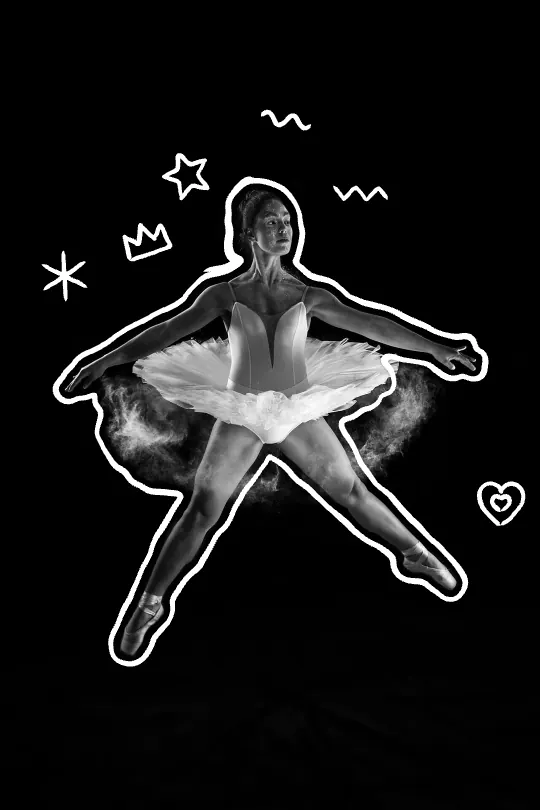
Scribble outline
A hand-drawn line wobbles around you, with stars, hearts and arrows.
Make a scribble outlineQuestions
What is the echo effect?
Copies of a person fade out behind them, as if they moved fast. It's popular for sports, dance and gym photos.
How do I change the direction of the trail?
Drag the pink handle on the photo. The arrow shows where the farthest copy goes. With a keyboard, use the arrow keys.
Can the copies be a different color?
Yes. Pick a style, or choose any tint color and how strong it is. Ghost makes the copies black and white.
What's the difference between Spring, Pulse and Still?
Spring: the copies shoot out and slide back in. Pulse: they breathe in and out. Still: no movement, which suits a still image.
Is Rizzyra free?
Yes. There's no sign-up, no limit and no watermark you have to pay to remove. The small rizzyra.com credit on exports is optional.
Do you upload my photo?
No. Everything happens in your browser: your photo, the cutout and the video stay on your device. You can check it yourself on the privacy page.
Your photo never leaves your device
The AI that finds you in the photo runs in your browser, so nothing is uploaded and there's nothing to delete. After your first video, Rizzyra even works offline.
How Rizzyra handles your photos