Scribble outline
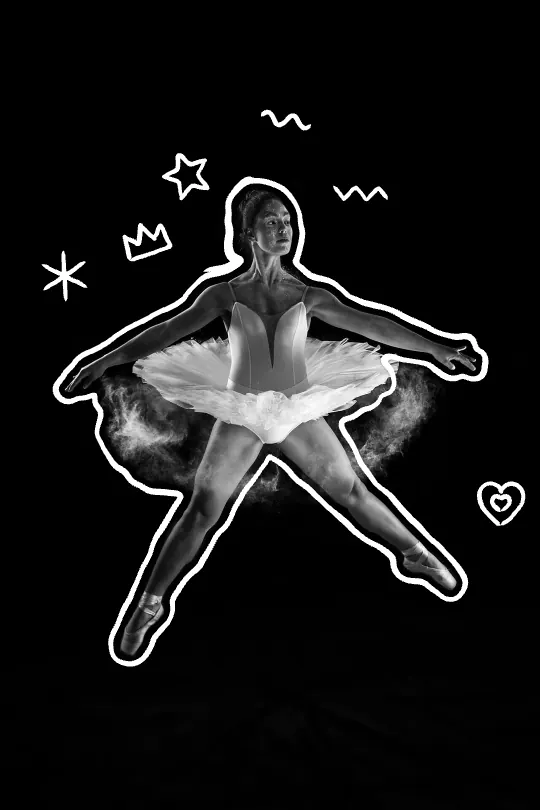
A hand-drawn line wobbles around you, with stars, hearts and arrows.
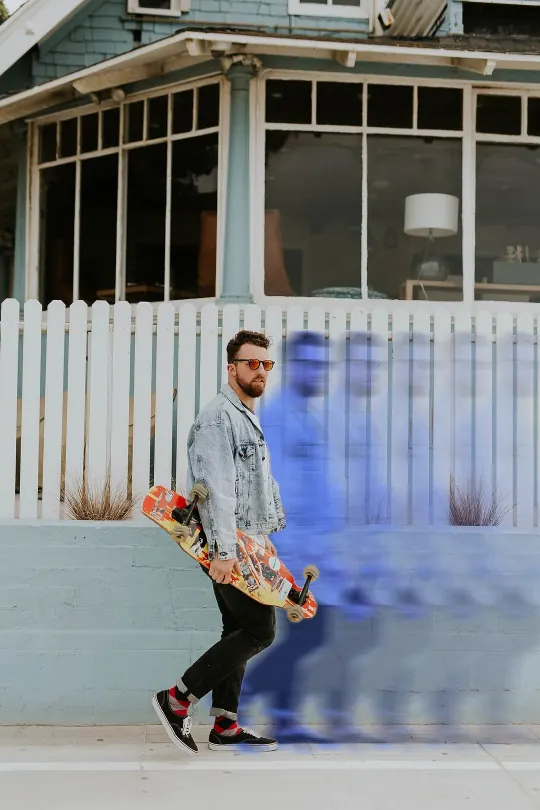
Make a scribble outlineRizzyra finds you in the photo, then draws a wobbly marker outline with doodles around you, or trails fading copies behind you. Download an MP4, a GIF or a PNG.
or drop it here, or paste it
No photo handy? Try one of these:
Your photo stays on your device. The AI runs in your browser.
Any photo with one or a few people in it. It never leaves your device.
The first result is ready to post. Try another style, or fine-tune it.
Save a video for Reels, TikTok or Shorts, a GIF, or a still image.
A hand-drawn line wobbles around you, with stars, hearts and arrows.
Make a scribble outlineThe AI that finds you in the photo runs in your browser, so nothing is uploaded and there's nothing to delete. After your first video, Rizzyra even works offline.
How Rizzyra handles your photosYes. There's no sign-up, no limit and no watermark you have to pay to remove. The small rizzyra.com credit on exports is optional.
No. Everything happens in your browser: your photo, the cutout and the video stay on your device. You can check it yourself on the privacy page.
Photos where one or a few people stand out from the background. Portraits, full-body shots, couples and groups all work. Pets and objects aren't supported yet.
Yes, in recent Safari, Chrome, Edge and Firefox. The first time, it downloads the AI model (about 20 MB). After that it starts right away.
A 6 or 9 second MP4 video for Reels, TikTok and Shorts, a GIF, or a PNG, in 9:16, 1:1, 4:5 or the photo's own shape.
Yes. What you make is yours to post, share or sell.